
Why Your Internet Randomly Disconnects (Even With Full Wi-Fi Bars)
Learn why your internet keeps disconnecting even when your Wi-Fi signal looks perfect. Discover the most common causes and how to diagnose intermittent connection problems.
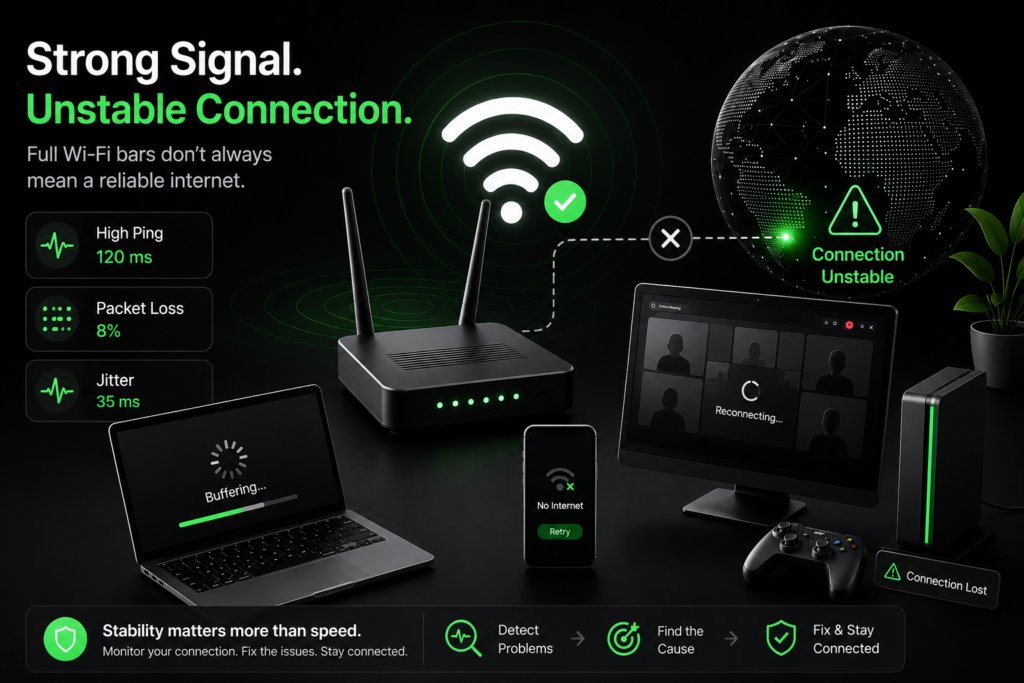
Why Your Internet Randomly Disconnects (Even With Full Wi-Fi Bars)
One of the most frustrating internet problems is when everything appears normal—but your connection suddenly stops working.
Your Wi-Fi icon still shows full bars.
Your computer says you’re connected.
But websites won’t load, your game disconnects, your video call freezes, or Netflix suddenly starts buffering.
If this sounds familiar, you’re not alone. Random internet disconnects are one of the most common networking issues people experience. The good news is that full Wi-Fi bars don’t necessarily mean you have a healthy internet connection.
Wi-Fi Signal Isn’t the Same as Internet Connection
This is one of the biggest misconceptions about home networking.
Your Wi-Fi signal only measures how well your device communicates with your router. It does not tell you whether your router has a stable connection to your internet provider.
Think of it this way:
- Strong Wi-Fi means your device can communicate with your router.
- Stable internet means your router can communicate with the wider internet.
It’s entirely possible to have an excellent Wi-Fi signal while your internet connection repeatedly drops.
Common Reasons Your Internet Keeps Disconnecting
Your ISP Is Experiencing Stability Problems
Sometimes the problem isn’t inside your home at all.
Internet providers occasionally experience network congestion, routing problems, equipment failures, maintenance, or localized outages. These issues can cause interruptions that last only a few seconds.
While those interruptions may seem insignificant, they’re more than enough to disconnect online games, freeze Zoom meetings, interrupt VPN sessions, or cause streaming services to buffer.
Because these interruptions are brief, traditional speed tests often fail to detect them.
Packet Loss
Every website you visit and every video you stream is made up of thousands of small pieces of data called packets.
When some of those packets never reach their destination, packet loss occurs.
Packet loss commonly causes:
- Voice calls cutting out
- Frozen video meetings
- Rubber-banding in online games
- Websites loading incompletely
- Random disconnects
Even a small amount of packet loss can make an internet connection feel unreliable.
High Jitter
Many people focus only on ping, but jitter is often the bigger issue.
Jitter measures how much your latency changes over time.
For example, a connection that stays around 20–22 ms is very stable.
A connection that jumps between 18 ms, 95 ms, 37 ms, and 142 ms may have a similar average ping, but the experience will feel much worse.
High jitter often causes:
- Lag spikes
- Choppy video calls
- Gaming issues
- Audio dropouts
- Streaming interruptions
Router Problems
Your router runs continuously, often for months without being restarted.
Over time, routers can develop issues such as:
- Firmware bugs
- Memory leaks
- Overheating
- Aging hardware
Restarting the router may temporarily improve the connection, but recurring disconnects can indicate that the hardware or firmware needs attention.
Wi-Fi Interference
Even when your Wi-Fi signal appears strong, nearby devices can interfere with the wireless connection.
Common sources include:
- Neighboring Wi-Fi networks
- Bluetooth devices
- Baby monitors
- Microwave ovens
- Wireless security cameras
This type of interference is especially common in apartment buildings and densely populated neighborhoods.
Faulty Cables or Equipment
Loose Ethernet cables, damaged coaxial cables, worn connectors, or failing networking equipment can all create intermittent connection problems.
Because the connection repeatedly disconnects and reconnects, these hardware issues often appear random.
Why Speed Tests Don’t Always Find the Problem
Most online speed tests only run for 30 to 60 seconds.
They measure your download speed, upload speed, and current latency during that brief moment.
Imagine your internet disconnects for three seconds every two minutes.
A traditional speed test could easily finish before the interruption occurs, reporting excellent speeds even though your connection remains unreliable.
This is why many people receive excellent speed test results while still experiencing dropped calls, gaming disconnects, and buffering.
How to Diagnose Random Disconnects
Instead of measuring speed alone, it’s important to monitor your connection over a longer period.
A stability test looks for:
- Ping consistency
- Jitter
- Packet loss
- Connection drops
- Overall reliability
Monitoring these metrics over time provides a much more accurate picture of your connection quality than a single speed test.
Basic Troubleshooting Steps
If your internet connection keeps dropping, try these steps:
- Restart your modem and router.
- Check all Ethernet and coaxial cable connections.
- Move closer to your router to rule out signal coverage issues.
- Update your router’s firmware.
- Test using a wired Ethernet connection if possible.
- Run a longer internet stability test to identify intermittent problems.
- Contact your internet provider if packet loss or disconnects continue.
When to Contact Your ISP
If you’re consistently seeing packet loss, repeated disconnects, large latency spikes, or connection issues across multiple devices, the problem may exist outside your home network.
Providing your ISP with evidence of intermittent connection failures often helps them diagnose the issue much faster than simply reporting that “the internet keeps disconnecting.”
Final Thoughts
A strong Wi-Fi signal doesn’t guarantee a reliable internet connection.
Random disconnects are usually caused by instability somewhere between your device, your router, and your internet service provider—not by weak Wi-Fi signal strength alone.
Understanding the difference between Wi-Fi strength and internet stability is the first step toward solving the problem.
If your internet randomly disconnects but speed tests always report excellent results, it may be time to stop measuring only speed and start measuring connection stability.